In this guide, we feature some of the best Linux distributions with the stunning KDE Plasma desktop environment that deliver the perfect blend of beauty, performance, and customization.
The KDE Plasma desktop is renowned for its sleek design, extensive customization options, and impressive performance.
For users who appreciate a polished, modern interface with the flexibility to tweak every detail, Plasma is a dream come true.
But which Linux distributions make KDE Plasma their default desktop environment? Here, we’ll explore seven standout distros that embrace Plasma, each offering its unique spin on this versatile desktop environment.
Table of Contents
1. Kubuntu
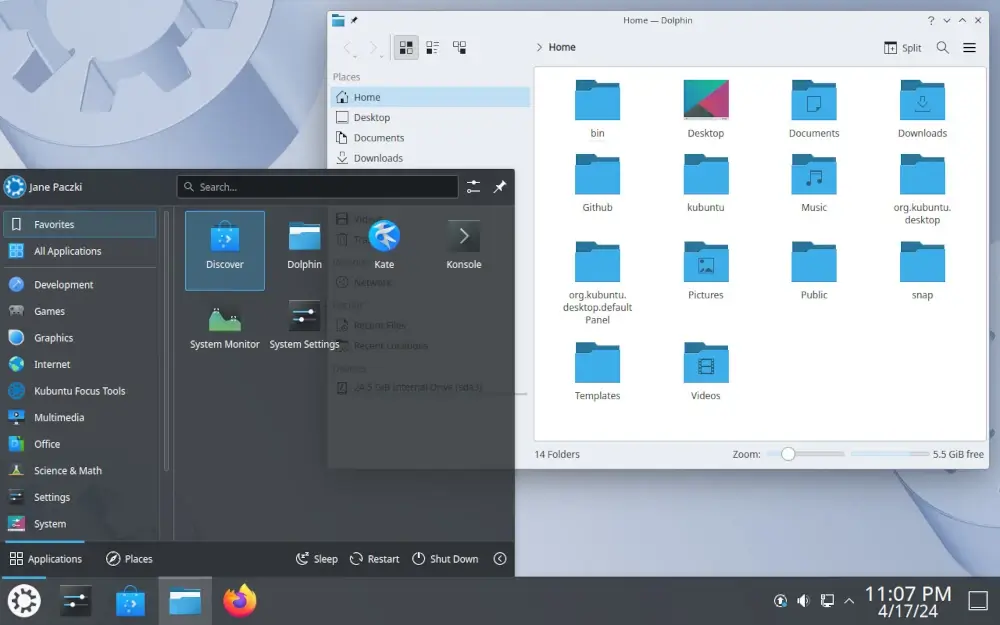
Kubuntu is the official KDE flavor of Ubuntu, bringing the best of the Ubuntu core and pairing it with the elegant KDE Plasma desktop.
By choosing Kubuntu, you get access to Ubuntu’s robust ecosystem, including its extensive software repository, Snap packages, and PPAs (Personal Package Archives).
The latest releases ship with KDE Plasma 6.3 and the modern Qt6 framework, with Wayland as the default session for improved graphics performance.
The default Plasma setup in Kubuntu is clean and user-friendly, making it an excellent choice for newcomers to Linux who want a Windows-like experience.
The distro features the latest KDE Gear applications, Firefox as the default browser, and LibreOffice for productivity.
The distro also benefits from Ubuntu’s massive community support, ensuring that help is always just a forum post or guide away. Whether you’re installing Linux for the first time or looking for a stable, customizable desktop, Kubuntu is a strong contender.
The LTS version (24.04) provides support until April 2027, making it ideal for users who prefer long-term stability.
2. Fedora KDE Spin
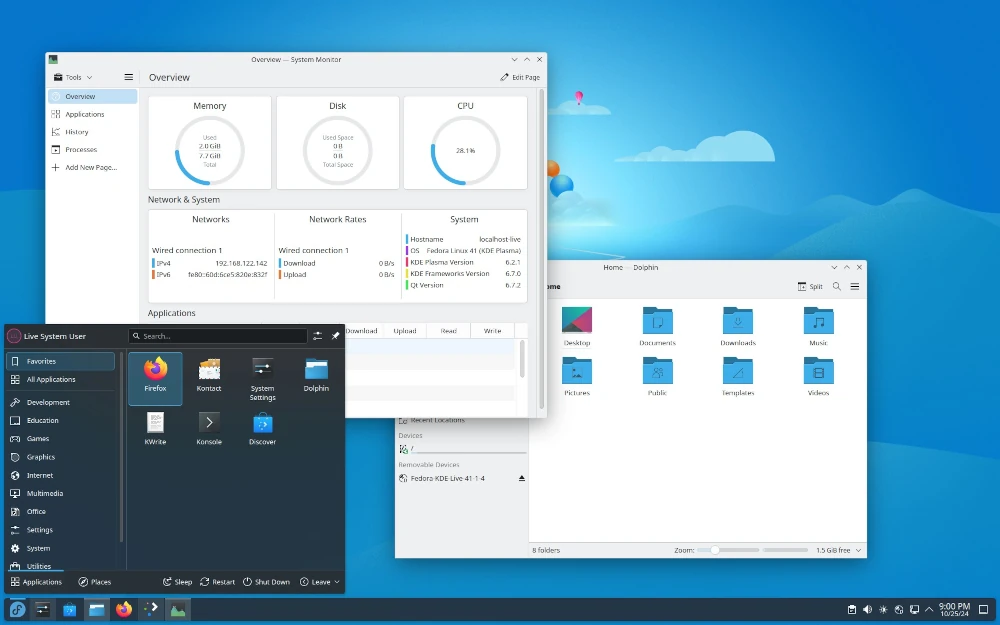
Fedora is a cutting-edge distribution that showcases the latest open-source technologies, and its KDE Spin brings this innovation to the Plasma desktop.
Starting with Fedora 42, KDE was elevated to an official flagship edition alongside the Workstation edition, reflecting its growing popularity and maturity.
The latest Fedora 41 ships with KDE Plasma 6.2, bringing enhanced features like automatic light/dark theme switching, better Wayland support, and improved performance.
Unlike Kubuntu, Fedora KDE Spin focuses on delivering a vanilla Plasma experience with minimal modifications, allowing users to enjoy Plasma’s features as the developers intended.
Recent updates include the new tuned power profiles daemon for better battery management and support for the latest Intel IPU6 webcams.
Fedora’s focus on innovation means you’ll always have access to the latest software and features, albeit with a shorter support cycle (typically 13 months), which makes it an ideal choice for tech enthusiasts and developers who want to stay on the bleeding edge.
With its strong commitment to open-source principles and DNF 5 package manager for faster updates, Fedora KDE Spin is a great way to experience Plasma in its purest form.
3. Manjaro KDE
Manjaro is an Arch-based distribution that aims to make the Arch Linux experience accessible to a wider audience.
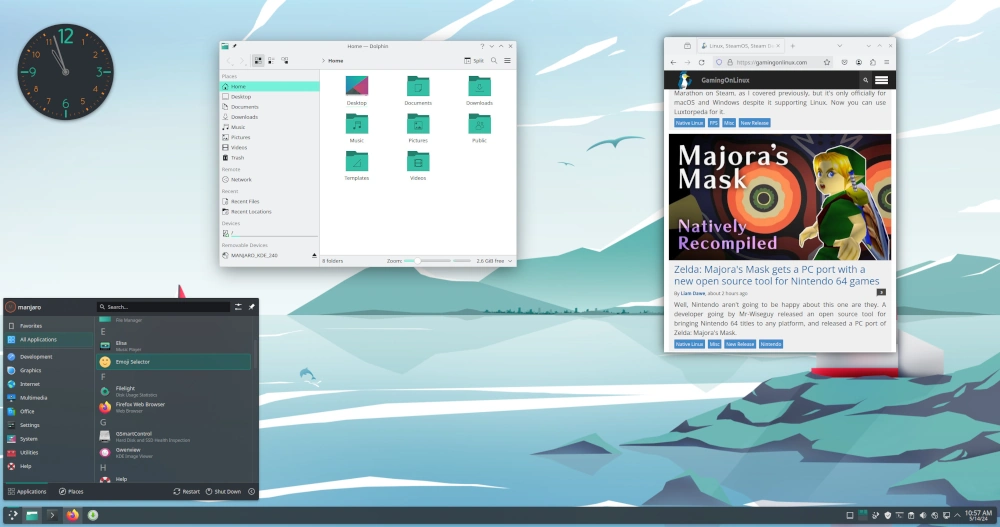
Its KDE edition takes the Plasma desktop to the next level with thoughtful customizations and a curated selection of software.
Manjaro KDE stands out for its rolling release model, which ensures you always have the latest Plasma updates and features.
The current development cycle focuses on the Plasma 6.5 series with continuous updates through the stable, testing, and unstable branches.
The Manjaro team has done an excellent job of optimizing the desktop for performance, making it one of the most responsive Plasma experiences available.
With its user-friendly tools like Pamac (graphical package manager), extensive hardware support, and access to both official Arch repositories and the Arch User Repository (AUR), Manjaro KDE is perfect for both beginners and power users.
Manjaro also includes helpful tools for system management, kernel switching, and driver installation, making it surprisingly accessible despite its Arch foundation.
Regular stable updates ensure you get new features without compromising system reliability.
4. openSUSE Tumbleweed (KDE Edition)
openSUSE offers two main branches: Leap, a stable release model, and Tumbleweed, a rolling release version.
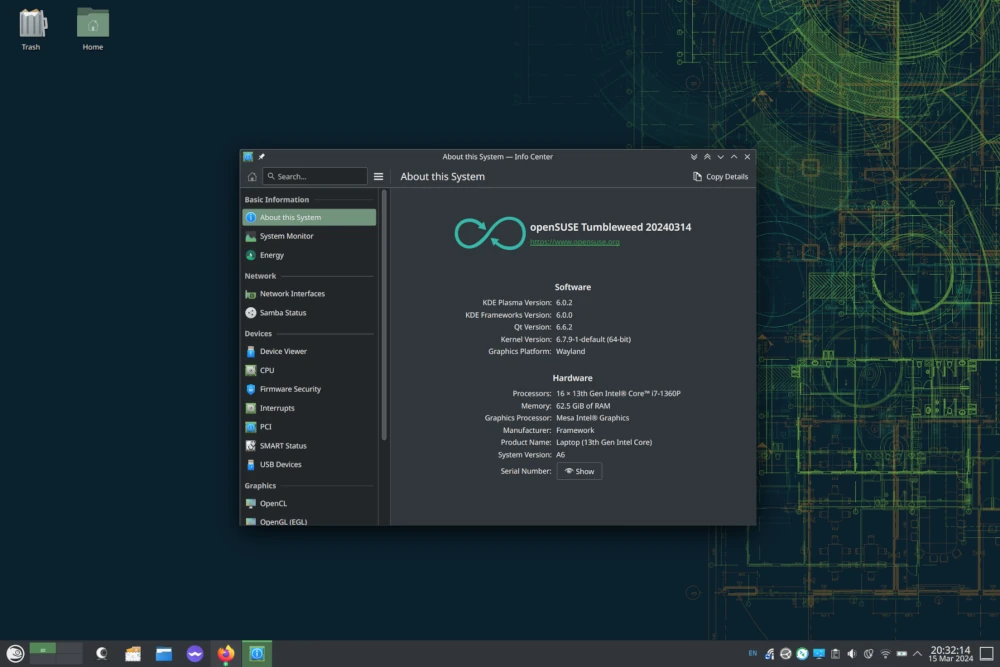
The KDE edition of openSUSE Tumbleweed is particularly appealing to users who want the latest Plasma features combined with openSUSE’s renowned stability and system management tools.
Recent snapshots ship with KDE Plasma 6.5.3-6.5.4, KDE Frameworks 6.20, and KDE Gear 25.08.3, all running on Linux kernel 6.17.
What sets openSUSE apart is its YaST (Yet another Setup Tool), a powerful configuration tool that simplifies system management.
Whether you’re setting up a server or a desktop, YaST makes it easy to configure your system to your liking.
With Tumbleweed’s rolling release model and rigorous automated testing via openQA, you’ll always have access to the latest Plasma updates without sacrificing reliability.
Recent updates include parallel package downloads with zypper for faster installations, enhanced Wayland support, and comprehensive security patches.
5. Garuda Linux (KDE Dr460nized Edition)
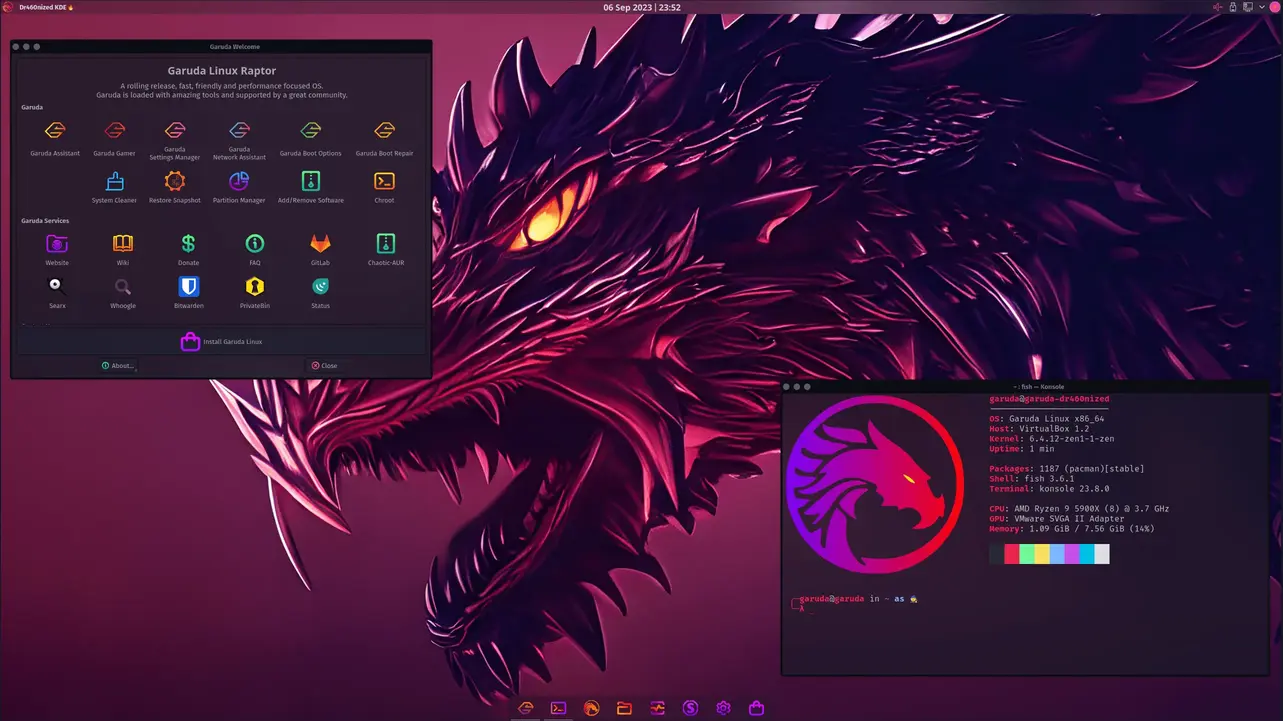
Garuda Linux is a newer Arch-based distribution that has quickly gained popularity for its stunning visuals and performance-focused approach. Its KDE Dr460nized edition is a heavily customized Plasma desktop that’s tailored for gamers and power users.
The Dr460nized edition features a dark, neon-themed aesthetic that’s as functional as it is beautiful.
The latest “Broadwing” release introduces the Catppuccin theme as an alternative visual option and the new Garuda Rani Welcome App, which consolidates system management functions into a single streamlined tool.
Garuda also includes performance-enhancing tweaks out of the box, running on the Linux-zen kernel optimized for gaming and multimedia.
The distribution ships with BTRFS filesystem, Timeshift for system snapshots, and the comprehensive Garuda Assistant for easy system management.
With its gaming-focused tools (including Garuda Gamer for easy game installation), Arch base with access to AUR and Chaotic-AUR, and recent Mesa 25.2.2 graphics stack, Garuda KDE Dr460nized is perfect for those who want a visually striking and high-performance Plasma experience.
The rolling release model ensures you’re always running the latest software with no reinstallation needed.
6. EndeavourOS KDE
EndeavourOS is another Arch-based distribution, but it distinguishes itself with a strong focus on simplicity and user experience.
The KDE edition of EndeavourOS offers a clean Plasma desktop with minimal pre-installed software, allowing users to build their system exactly how they want it.
EndeavourOS KDE provides access to the Arch User Repository (AUR) and a rolling release model, ensuring you always have the latest software and Plasma updates.
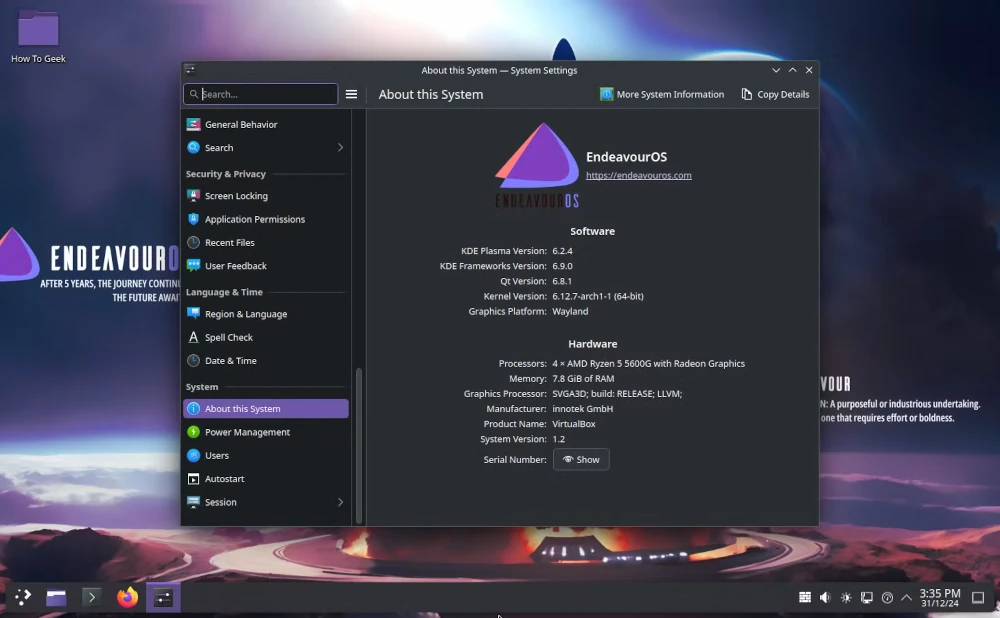
The latest “Ganymede Neo” release features Linux kernel 6.18 LTS, KDE Plasma 6.5.4, KDE Frameworks 6.22, and Mesa 25.3.3 graphics stack.
The distro also includes helpful tools like the EndeavourOS Welcome app, which simplifies initial setup and package installation.
The Calamares installer has been refined for smoother installations, with both offline KDE Plasma installation and online installation with multiple desktop choices.
Since the “Galileo” release in 2023, EndeavourOS switched from Xfce to KDE Plasma as its default offline installation desktop, making KDE the primary focus.
For users seeking a lightweight, near-vanilla Arch-based Plasma experience with excellent community support, EndeavourOS is a fantastic choice.
7. KDE Neon
KDE Neon is often considered the flagship showcase for the Plasma desktop, as it’s developed by the same team behind KDE itself and it is built on the stable base of Ubuntu LTS (currently 24.04).
What sets KDE Neon apart is its focus on providing the most up-to-date Plasma experience. Unlike other distros, KDE Neon ships with the newest Plasma features and updates almost as soon as they’re released.
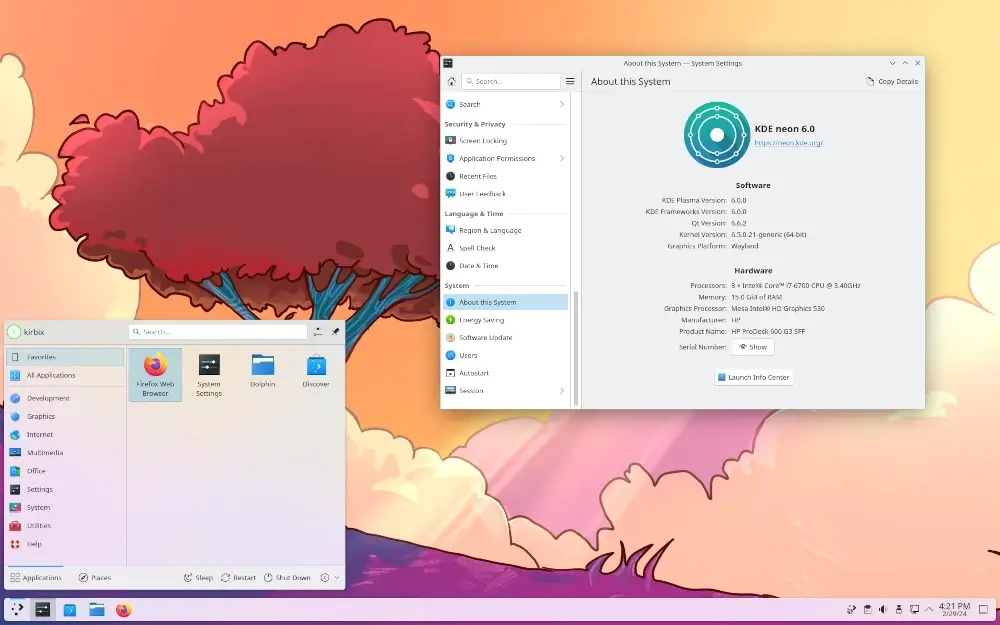
Recent releases feature KDE Plasma 6.5.5, the latest KDE Frameworks, and Qt 6.9, whick making it the ideal choice for users who want to stay on the cutting edge of KDE development.
KDE Neon employs a targeted rolling release approach, updating only KDE-related packages while keeping the Ubuntu LTS base stable underneath.
Despite its focus on Plasma, KDE Neon keeps the system lean and avoids unnecessary pre-installed software, allowing users to tailor their setup to their preferences.
The distribution offers multiple editions: User Edition (stable), Testing Edition (beta), Unstable Edition (nightly builds), and Developer Edition (with development libraries).
For those who want a pure, no-compromise Plasma experience straight from the source, KDE Neon is the go-to choice. It’s also worth noting that KDE Slimbook laptops come pre-installed with KDE Neon, providing an optimized hardware-software experience.
Why Choose a Plasma-Based Distro?
KDE Plasma has earned its reputation as one of the most versatile and feature-rich desktop environments available for Linux. Whether you prioritize customization, performance, or aesthetics, Plasma delivers on all fronts.
These seven distros showcase the best of what Plasma has to offer, each catering to different user needs and preferences.
From the stability of Kubuntu to the cutting-edge features of Fedora KDE Spin, the striking visuals of Garuda’s Dr460nized edition, and the minimalist charm of EndeavourOS KDE, there’s a Plasma-based distro for everyone.
Which Distribution Should You Choose?
- Choose Kubuntu if: You want Ubuntu’s stability and massive software ecosystem with long-term support (LTS releases supported for 3 years).
- Choose Fedora KDE if: You want the latest stable releases of KDE software with a pure, unmodified Plasma experience and don’t mind shorter support cycles.
- Choose Manjaro KDE if: You want a rolling release that’s more beginner-friendly than pure Arch, with excellent hardware support and user-friendly tools.
- Choose openSUSE Tumbleweed KDE if: You want enterprise-grade stability combined with rolling releases, powerful system management tools like YaST, and automatic snapshots.
- Choose Garuda Linux if: You’re a gamer or power user who wants stunning visuals, performance optimizations, and don’t mind bold aesthetics.
- Choose EndeavourOS KDE if: You want a near-vanilla Arch experience with KDE Plasma, minimal bloat, and helpful getting-started tools.
- Choose KDE Neon if: You want the absolute latest KDE software as soon as it’s released, directly from the KDE developers themselves.
So why not give one of these a try and experience the power and elegance of KDE Plasma for yourself?