Have you noticed that disk space is filling up fast even when your Linux computer’s trash folder is empty? There’s a strong possibility that VS Code is responsible for it.
A not-so-recent issue in the Snap version of VS Code has cropped up again, and there’s no fix in sight.
An Absurd Bug
When you normally delete a file, it goes into the trash folder, located at ~/.local/share/Trash. GNOME has supported automated emptying of the trash at selected intervals through its settings for quite some time now.
So, let’s say you delete trash every seven days.
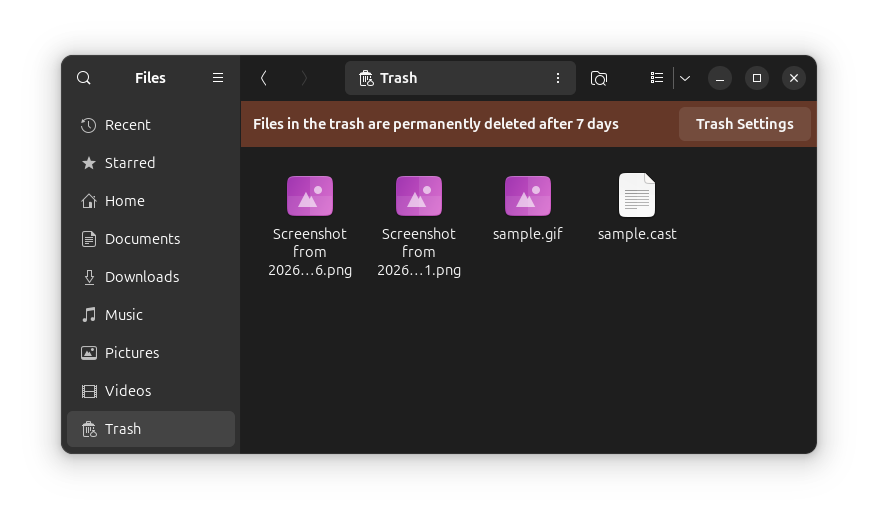
Now, with the Snap version of VS Code, any files or folders deleted using the Delete key in VS Code are being sent to the Snap’s own trash folder, which is located at:
~/snap/code/current/.local/share/TrashYou see the problem now? This pesky folder is not cleared automatically, and this is not how deleted content should be handled. Especially when the deleted files are placed this deep inside a directory tree, hidden away from the user’s eye.
There’s more.
The current directory mentioned above corresponds to the version of VS Code that’s installed on your system.
Now, if you update to a new version of VS Code, the residuals of the old version will still be present on your computer in a separate folder.
See for yourself. 👇
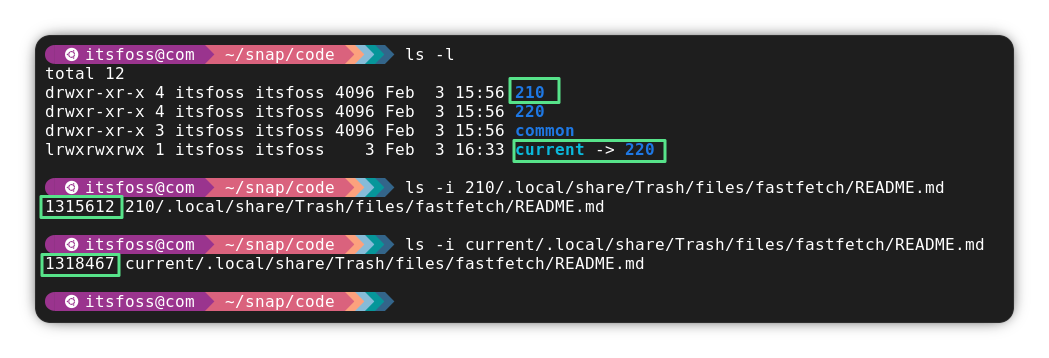
This drives up the unnecessary bloat in your system even more!
The bug itself was reported all the way back in November 2024, and the issue is still present for current Snap versions of VS Code and even VSCodium.
What Can You Do?
If this issue is bothering you, then you can remove the Snap version and install the DEB or RPM version of VS Code. There’s also an unofficial Flatpak version if you prefer that packaging.
📋
Deleting the Snap version of VS Code also deletes all of its associated junk files.
Some Arch distributions, like Manjaro Linux, come with Snapd installed by default. If you are one of the people who used the Snap version of VS Code, then you can also try the open source build of VS Code (Code – OSS), which is available in the Arch Linux repository.
Source: How to Geek.
Suggested Read 📖: GNU’s Very Own Kernel Project Hurd is Anything But Dead



![How to Add Image in WordPress Footer [A Visual Guide]](https://matchpage.info/wp-content/uploads/2024/09/how-to-add-image-in-wordpress-footer-a-visual-guide-284.png)